Feeds:
Posts
Comments

Posts Tagged ‘informatica’

Con l’acquisto che ho fatto questo Natale, ed imitando un po’ la colonna di Dave Phillips su LinuxJournal, posso ora dire che Studio Siv apre i battenti!

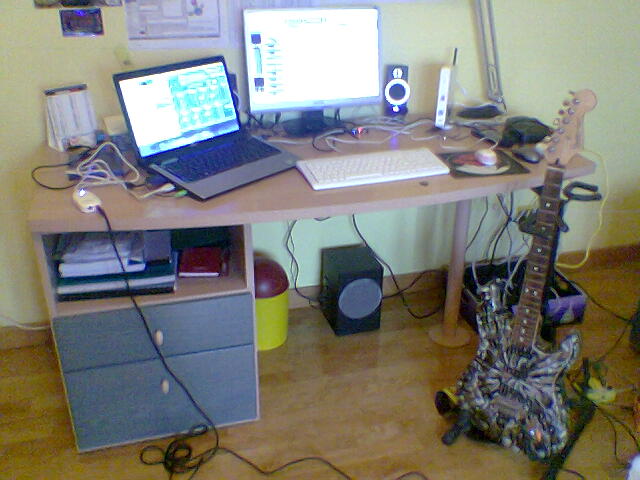
Studio Siv altri non è che il mio set di apparecchiature per fare musica: computer e accessori, strumenti musicali ed accessori per registrare, riprodurre, remixare, etc etc etc. E’ da un po’ che raccolgo il necessario, e già un assaggio c’era stato la primavera scorsa (vero Nick?); ma solo ora che posso registrare la chitarra direttamente con il computer, sotto il diretto controllo di Jack, posso dire di poter iniziare a fare sul serio.
Studio Siv

La qualità non è eccelsa, ma il mio cellulare non è certo la fine del mondo; sulla sinistra, ecco il Behringer UCG102, un pratico ed efficare preamplificatore (totalmente compatibile con Linux, ofc) chitarra-USB, che viene visto e riconosciuto dal sistema come una scheda audio normale (ha anche un’uscita cuffie); l’ingresso, tuttavia, non accetta un microfono bensì il classico jack mono da 6.3″ comunemente usato dalle chitarre elettriche/elettrificate/amplificate/whatever (e peraltro anche l’uscita audio ha il medesimo jack, procuratevi un adattatore da 3.5″ stereo.

Il buon jackd viene efficacemente configurato per leggere da questa scheda e scrivere in quella audio standard del vostro PC (se volete usare la solita uscita audio del computer), e da lì a lanciare un buon set di effetti audio (Rakarrack) e/o un DAW (Ardour), il passo è breve…

Jam software

Il primo esperimento, lì inquadrato, è una cover degli Audioslave, “I am the highway”: non male, ma qualcosa di più impegnativo si prospetta all’orizzonte! In attesa di scrivere qualcosa di mio…

Ah, dimenticavo: buon 2010 a tutti! (primo post dell’anno 😀 )

Read Full Post »

Sembrowser 0.1

Ladies and gentlemen, Sembrowser 0.1 is out for testing!

Have you noticed the version number? It is not that low for nothing: the application (which is a prototype for a faceted side panel) is far from finished and not guaranteed to be stable/scalable/with good performance; anyway, the main feature, that is the faceted panel itself (with basic functionality) is ready for some comments. I want to add that this app is not and will not be a replacement for Dolphin: the idea was and is to create a testing file manager for faceted browsing; Sembrowser has way less features than Dolphin (and I don’t want to copy all of them or port all of them), even if some things are similar (like the places side panel). The new panel itself may be, at some point, taken and ported to Dolphin, but it is too early to talk about this…

So, get the sources and give it a try: you will need KDE 4.4 from trunk (no, beta2 is not enough) and a working Nepomuk installation (with Virtuoso); the facet at the bottom is about tags, so if you don’t use them, well it may be the right time for you to start 🙂

Side notice: when you select some tags, only files (and not directories) are shown; comment below if you think that it may make sense in your opinion to show them, too, but for now it is not a bug, it is a feature 😛

Side notice 2: if you want to stay on the “bleeding edge”, you can get the sources from Gitorious.

Read Full Post »

Yakuake plus

Ho pubblicato nel mio repository su Launchpad una versione moddata di Yakuake, la nota applicazione per avere terminali scorrevoli alla Quake in KDE, cui ho aggiunto un’opzione per configurare il numero di sessioni con cui il programma viene lanciato: di fatto, all’avvio potrete avere più di un terminale già aperto (il minimo è, naturalmente, uno).

Non so se tale patch verrà integrata nel mainstream del programma, dato che l’autore ha già un’idea per un sistema di configurazione più preciso delle sessioni di avvio, quindi al momento la versione nel mio repo è assolutamente non ufficiale e non supportata dall’autore, ma solamente da me 🙂

Se siete interessati a detta patch, mandatemi una mail in privato e ve la giro.

Read Full Post »

I am not here to talk about the little semantic browser thing, which I know all of you are expecting (and I promise a first test version of the app in the next few days, Christmas holidays should help in giving me some time to prepare it right); I’m here to discuss some impressions on the Microsoft Semantic Engine presentation.

Yes, I said “Microsoft”, and I’d like to survive to that phrase, and no, I did not change to the dark side of computer science; it happened that, a couple of weeks ago, I was browsing the sessions of this year’s Professional Developers Conference, when I found this one, about a so-called “Microsoft Semantic Engine”: as a semantic maniac, I had to download the video and see what the “enemy” is preparing in this field, especially because I think that KDE is the first desktop environment to introduce semantics for its apps, and if a new player is coming into the field, then it’s good to see what he is doing. So, finally today I found some time to take a look at it, and here are some impressions.

In general

It looks like a technology introduced especially for business users, which is a good place to start: if the semantic desktop works (and here I’m talking about Nepomuk itself: Microsoft never used the term “semantic desktop”), it could really help Linux itself in becoming a business player heavier than how it is now.

For evidencing even more the business aspect, they built their engine on a relational database, which is pretty shocking IMHO: yes, in this way you can integrate with data warehouses, but the underlying code is a hell if you do not use any of the semantic languages/engines/technologies and their facilities (RDF(S), OWL, Jena, Virtuoso, Pellet). Triples, anyone?

Clustering

This engine also uses clustering and data mining techniques, together with (un)supervised learning algorithms, to deal with all the metadata that various crawlers pick up from documents (more on this later), and this reminded me of a discussion we had in Freiburg, about clustering for obtaining meaningful facets and terms for the semantic browser: for now, that prototype application will work with just three facets, but when that number will grow, things will surely become interesting…

File crawler

The crawling part is quite straightforward: each document is analyzed many times, at different levels, for getting keywords or other meaningful informations; there is an OCR part for images, as Scribo does, and a really interesting audio analyzer, which tries to extract also the tempo and the key from the music (if it is a music audio file, of course), and that’s really interesting from a technical point of view, at least for a musician like me.

Conclusions

In the end it has been an interesting video, with some really interesting informations on how other software vendors are dealing with the semantic technologies; I think we (as KDE) have a great advantage on these “competitors” in this field, and we need to keep up the good work and integrate Nepomuk more and more into all the applications: the future is coming, and we are right on the bleeding edge.

Read Full Post »

Matlab & Octave

Matlab & Octave

Oggi si è svolta la conferenza sul software libero, organizzata da Ingegneria Senza Frontiere – Trashware, cui abbiamo partecipato io e Sante per conto del POuL; la partecipazione non è stata molto ampia, tuttavia direi che i talk sono andati bene.

Pubblico uno screenshot di uno dei miei desktop di oggi, che ho mostrato al pubblico, con Matlab ed Octave entrambi in esecuzione con un grafico 3D di una funzione (scelta a caso, si trattava semplicemente di mostrare come entrambi i programmi siano intercompatibili (almeno fino ad un certo punto)): era troppo carina per non mostrarla…

Read Full Post »

Nepomuk features

Non posso non linkare un articolo su KDE Dot riguardante le features di Nepomuk: per chi pensa che non esista ancora, che sia inusabile e/o che Strigi si limiti a rubarvi cicli di CPU, bè ravvedetevi 🙂

Vai all’articolo

Read Full Post »

iCTF 2009 - Desktop

iCTF 2009 - Desktop

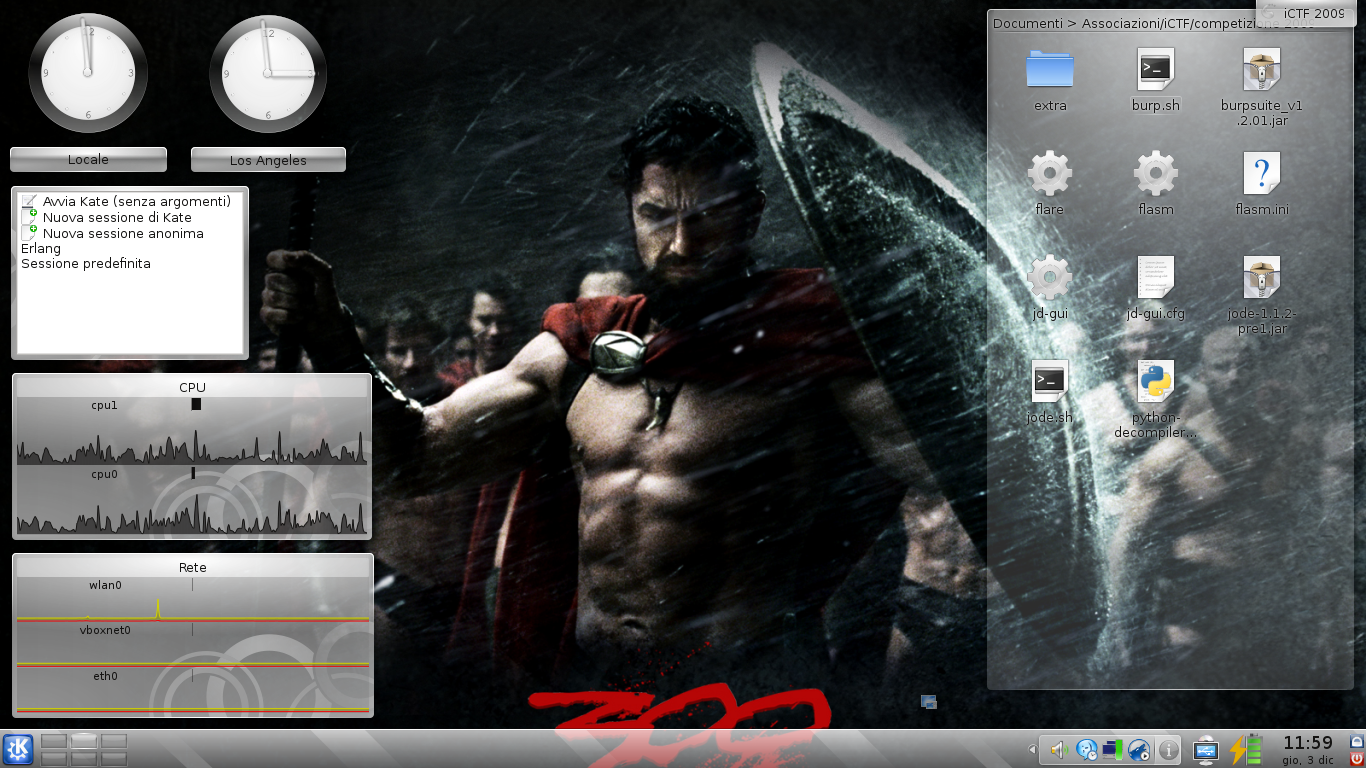
Ingegneri! Preparate la colazione e mangiate tanto, perché domani sera ceneremo nell’Ade!

Read Full Post »

MPlayer compositing

MPlayer compositing

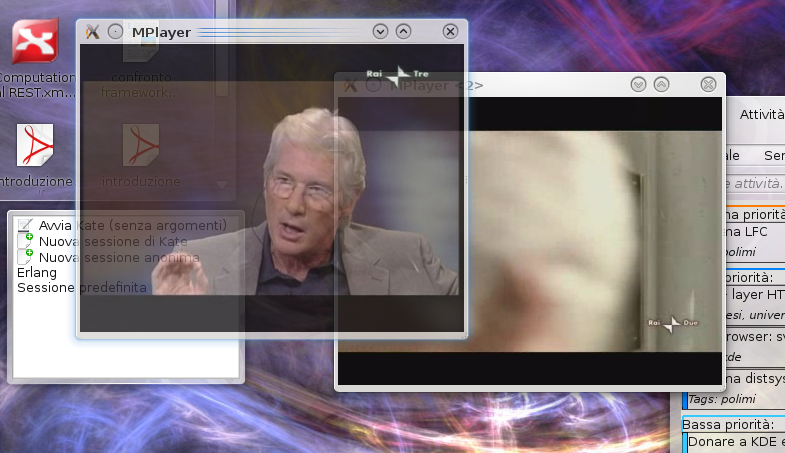
Sì, non avevo mai tenuto attivo il compositing fino ad oggi, e stasera, mentre guardavo Richard Gere da Fazio ed attendevo che iniziasse NCIS, quindi con due istanze attive di MPlayer (benedetto il sito RAI), mi sono accorto che le finestre diventavano semitrasparenti durante il trascinamento, ma i video continuano comunque a girare.

Ecco quindi, in foto, Rai3 trascinato e semitrasparente su Rai2, e naturalmente l’immagine non può mostrare come entrambi i video continuassero a girare tranquillamente… e non potevo non immortalare la cosa!

Tra l’altro, questo mi ha ricordato di quando, anni fa, era uscito Looking Glass: secondo me è stato addirittura prima che io iniziassi l’università, e di fatto era un sistema di compositing scritto in Java; nel video dimostrativo si mostrava proprio il movimento del player video in trasparenza…

Read Full Post »

Guardate questo video, anche se non capite del tutto l’inglese: ne vale veramente la pena.

http://video.ted.com/assets/player/swf/EmbedPlayer.swf

Read Full Post »

Brevemente, per esprimere la soddisfazione dovuta al fatto che ora, sorvolando su un po’ di lavoro interno dovuto alle policy di kdelibs, Nepomuk sta diventando una dipendenza obbligatoria (quantomeno de facto) sia di kdebase che di kdepim, ed è un’ottima notizia per la diffusione del desktop semantico (con buona pace degli ultraconservatori anti-sfruttamento delle risorse del computer).

Insomma: se volevate far girare KDE 4.4 su un Pentium 2 con un quartino di RAM, lasciate perdere… 🙂

Read Full Post »

« Newer Posts - Older Posts »